
CRM for IT Services Companies: Essential Features and How to Make the Most of It
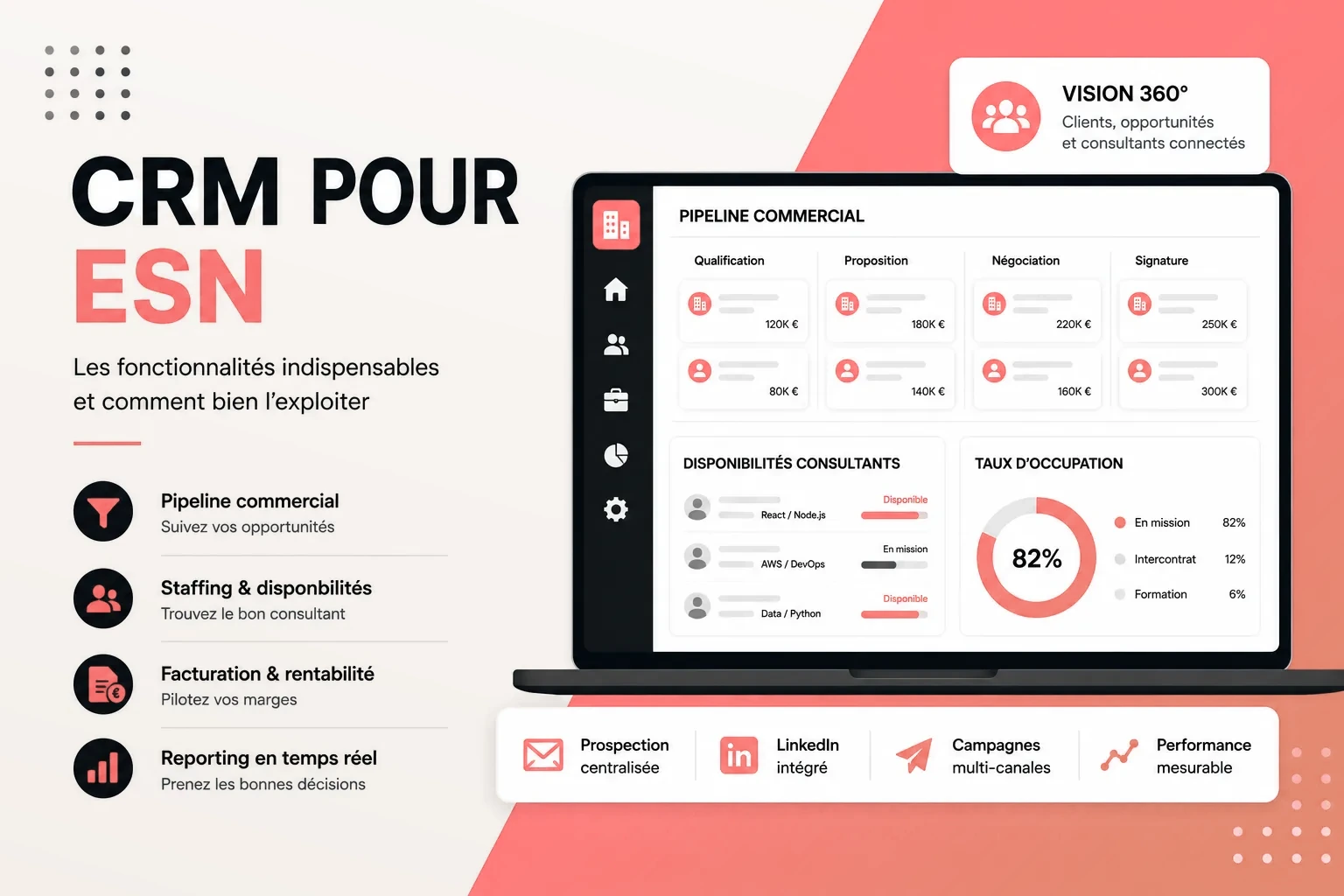
In an IT services company, growth depends directly on two flows that must remain synchronized: the sales pipeline and consultant availability.
A spreadsheet or a poorly calibrated generalist CRM quickly creates blind spots – lost opportunities, understaffed resources, delayed invoicing. A CRM for IT services companies is precisely designed to connect these two dimensions. Here's what it should include, how to use it day-to-day, and two related topics too often overlooked: the difference with an ERP and selection criteria.
What is a CRM for IT services companies, and how does it differ from a classic CRM?
A generic CRM (customer relationship management) is built to follow a linear sales cycle: lead, opportunity, quote, contract. IT services companies sell something other than a finished product: they sell time, skills, and availability. The CRM must therefore constantly cross-reference two pieces of information that classic CRMs ignore: who are my prospects and clients, and who are my consultants available to meet their needs?
It is this dual perspective (commercial and resource-based) that distinguishes CRMs for IT services companies, consultancies, or consulting firms from generalist customer relationship management software. Without this feature, an opportunity can be won even though no consultant is available to start it, or conversely, a consultant can remain on the bench for lack of visibility into the sales pipeline. The best CRMs on the market for IT services companies treat these two flows as a single process.
Essential features of a CRM for IT services companies
Before comparing tools, a functional foundation must be defined. Here are the building blocks that make the difference between a generic CRM and software truly designed for a digital services company: centralizing sales opportunities, personalizing prospecting sequences, automating administrative tasks, and optimizing consultant utilization rates.
A sales pipeline structured around assignments
The CRM must allow tracking of each sales opportunity from first contact to signature, with stages adapted to the T&M or fixed-price sales cycle: qualification, profile submission, client interview, negotiation, signature. A well-structured sales pipeline provides real-time visibility into forecasted revenue and allows staffing needs to be anticipated even before signing.
Staffing and availability management
This is the most specific feature for IT services companies. The CRM must centralize consultant availability, skills, and current assignments, to instantly cross-reference a sales opportunity with mobilizable profiles. Without this direct link between sales and human resources, staffing remains managed separately, in an Excel spreadsheet that becomes desynchronized within weeks.
Invoicing and profitability tracking
A good CRM for IT services companies allows the generation of quotes, tracking of invoicing by assignment, and linking each invoiced line to its original opportunity. This makes it possible to calculate real profitability per client, per consultant, or per salesperson, not just gross revenue.
Reporting and real-time monitoring
A consolidated dashboard – conversion rate, pipeline per salesperson, consultant utilization rate, forecasted billing – is what allows a CEO or sales director to steer the business without waiting for a manually prepared monthly report.
Centralized prospecting
Finally, a CRM for IT services companies must centralize all prospecting channels used by salespeople: email, but also LinkedIn, which has become the primary B2B lead generation channel for IT services companies and consulting firms. This is precisely the role played by Centra, which centralizes in one place LinkedIn prospecting and email campaigns, with exchanges attached directly to each opportunity in the sales pipeline.
What types of CRM exist for an IT services company?
Three main families of software compete in the IT services market. Generalist CRMs (often from the mainstream SaaS world) offer a solid customer relationship management foundation, but require heavy configuration to integrate staffing and bench management.
Vertical ERP suites, designed for IT services companies and consultancies, cover the entire cycle – from CRM to invoicing to project management – at the cost of a longer learning curve and higher price.
Finally, CRMs specialized in sales prospecting, like Centra, focus on a single objective: maximizing the number of qualified opportunities generated via LinkedIn and email, with a sales pipeline designed for daily rates and T&M assignments rather than product sales.
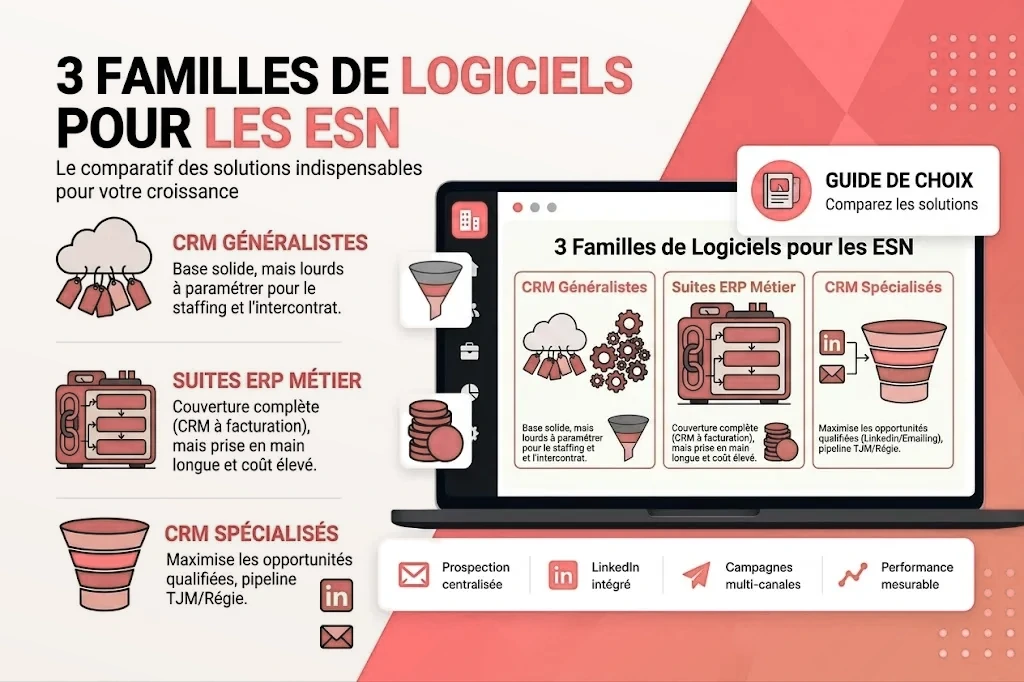
The right choice depends on the IT services company's maturity. A young structure with a few consultants primarily needs to generate a steady flow of sales opportunities and would benefit from prioritizing a prospecting-focused CRM. A more established IT services company, with dozens of staffed consultants, would be better off connecting this sales CRM to an ERP or project management software to ensure reliable invoicing and per-assignment profitability tracking.
What is relevant to do
Having the right features isn't enough: you also need to structure usage so that the CRM becomes second nature to the entire sales team, rather than a tool filled in after the fact.
Centralize multi-channel prospecting
Every interaction with a prospect – LinkedIn message, follow-up email, call – must be entered in the CRM in the same place, on the same contact record. This prevents a salesperson from following up with a prospect already contacted by a colleague via another channel, and provides a complete history before every meeting.
Automate follow-ups and sequences
Once prospecting is centralized, it becomes possible to automate follow-up sequences – on LinkedIn as well as by email – without losing personalization. This is one of the most profitable uses of a CRM for IT services companies: it frees up sales time for meetings and negotiations rather than administrative data entry.
Continuously cross-reference the sales pipeline and availability
Every salesperson should be able to consult, before committing to a deadline with a client, the actual availability of the consultants involved. This cross-referencing, done continuously rather than at month-end, prevents sales promises that teams cannot keep.
Track profitability on a per-assignment basis
The CRM should be consulted beyond the sales phase: reconciling billed time, consultant costs, and margin per assignment makes it possible to quickly detect assignments that are drifting and to adjust future quotes accordingly. Properly managed, this tracking also allows personalization of future commercial proposals based on the profitability observed on similar assignments.
Manage sales opportunities with personalized follow-ups
The most effective salespeople don't just invoice and track already-engaged opportunities: they use CRM data to personalize each follow-up and structure qualification processes. A well-managed CRM helps optimize the conversion rate by identifying opportunities that have stagnated too long in the sales pipeline.
CRM vs ERP for an IT services company: do you have to choose one or the other?
The confusion between CRM and ERP often comes up in IT services companies. The CRM covers customer relationships and the upstream sales cycle: prospecting, opportunities, quotes. The ERP, on the other hand, covers downstream operational management: time tracking, detailed invoicing, payroll, accounting, project management.
Some publishers offer suites that mix the two, with the risk of being mediocre in each area. A common and effective approach is to choose a CRM specialized in prospecting and sales management, connected via API or export to the ERP or management software already in place for the operational side. This keeps a responsive sales tool, updated regularly, without depending on the slower development cycle of a complete ERP suite.
The most common mistakes when implementing a CRM for IT services companies
Many digital services companies fail less on the software choice than on its implementation. Three mistakes are recurring.
Trying to digitize everything in the first month
Migrating all sales processes, staffing, and invoicing at once to new management software creates significant resistance to change. It's more effective to start with the component that generates the most immediate value – most often centralizing prospecting – before gradually extending CRM usage to other processes.
Neglecting existing data
A history of prospects, opportunities, and exchanges accumulated over years in Excel files or email inboxes represents valuable material. A good import, with deduplication, avoids starting from scratch and makes the CRM immediately useful upon launch.
Underestimating team support
A CRM software only brings value if it's actually used daily by salespeople and those in charge of staffing. Providing short training, ready-to-use prospecting sequence templates, and regular follow-up during the first month dramatically changes adoption rates.
Frequently Asked Questions about CRM for IT Services Companies
Does a CRM for IT services companies replace an ERP?
No. The CRM covers customer relationships and sales prospecting, while the ERP manages operational processes like payroll, accounting, or detailed project management. The two tools are complementary and ideally work connected to each other.
What budget should be planned for a CRM adapted to IT services companies?
Price varies according to the number of users, included staffing features, and level of integration with other tools. SaaS software billed per user per month remains the most common model, with a gradual scale-up as the sales team grows. This cost should be weighed against the impact on cash flow: a better-managed sales pipeline and faster invoicing directly improve the IT services company's cash flow.
Does a CRM for IT services companies work on a mobile app?
Most modern CRMs offer a mobile app or a responsive web version, allowing salespeople to update an opportunity or check consultant availability directly from a client meeting, without waiting to return to the office.
How does a CRM like Centra concretely help an IT services company?
Centra centralizes in one place LinkedIn prospecting and email campaigns for an IT services company, with a sales pipeline dedicated to digital services companies. Salespeople gain productivity by managing their opportunities and follow-ups from a single interface, without juggling between LinkedIn, an inbox, and a separate tracking spreadsheet.